
Welcome to the Diocese of Salisbury Learning Hub. This platform enables our diocese to continue to flourish and grow as we work towards our vision of Making Jesus Known. Here you will find courses, events and resources that will support a variety of roles within the church and the wider community.
There are three main parts to our site:
- Courses, Events and Resources is where you can see all of the content held in the Learning Hub.
You can filter content in different ways, and learn more about this below. - My Library is where you’ll see the items that you have bookmarked for later, the courses and events you’ve registered for, and the resources you’ve selected. You can also choose topics of interest to personalise your Recommended for Me page.
- Recommended for Me is where you’ll see personalised content based on the choices you’ve made.
How to find information on the site:
Search by themes and topics
Themes and Topics help to ‘group’ the information. This site has themes such as ‘Practical Support for Parishes’.
Within the theme ‘Practical Support for Parishes’ are topics:
- Church Buildings and Churchyards
- Digital Media and Comms
- Giving and Fundraising
- Parish Officers
The example below shows the theme ‘Practical Support for Parishes’ ticked, with all four topics chosen.
You can untick individual topics. Once you have made your choices, click the yellow ‘Apply filters’ button, the page will reload, and the pages of interest will be below it.
Click on the image, and it will open in a new tab so you can see it easily.

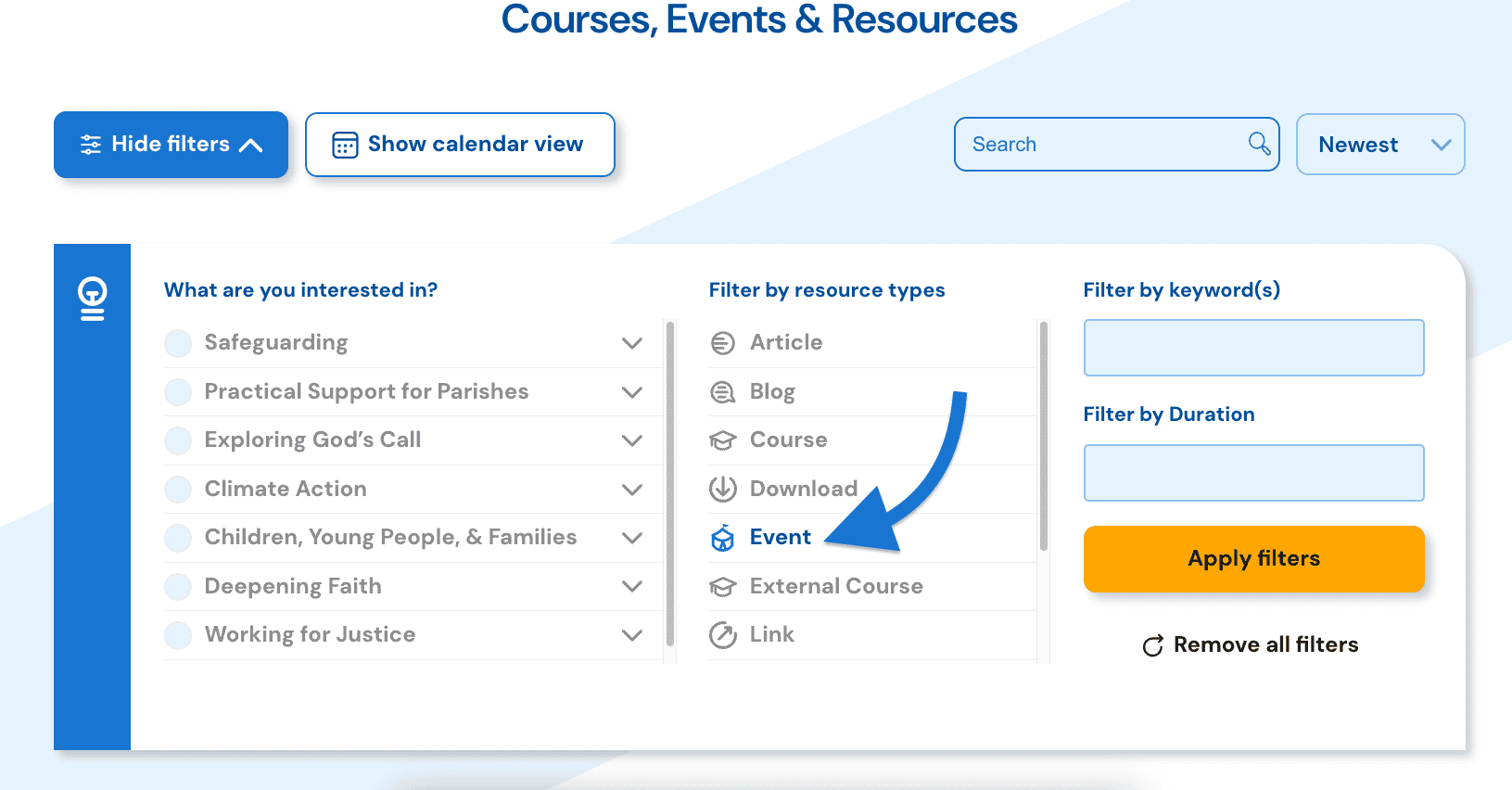
Search by resource type
This site has many types of resources, such as articles, downloads, webinars, courses, events, podcasts, blogs, etc.
Filtering by one or more resource types helps you to see the pages you’re interested in that use that resource type(s) and exclude those you don’t want to see.
Click on the image, and it will open in a new tab so you can see it easily.
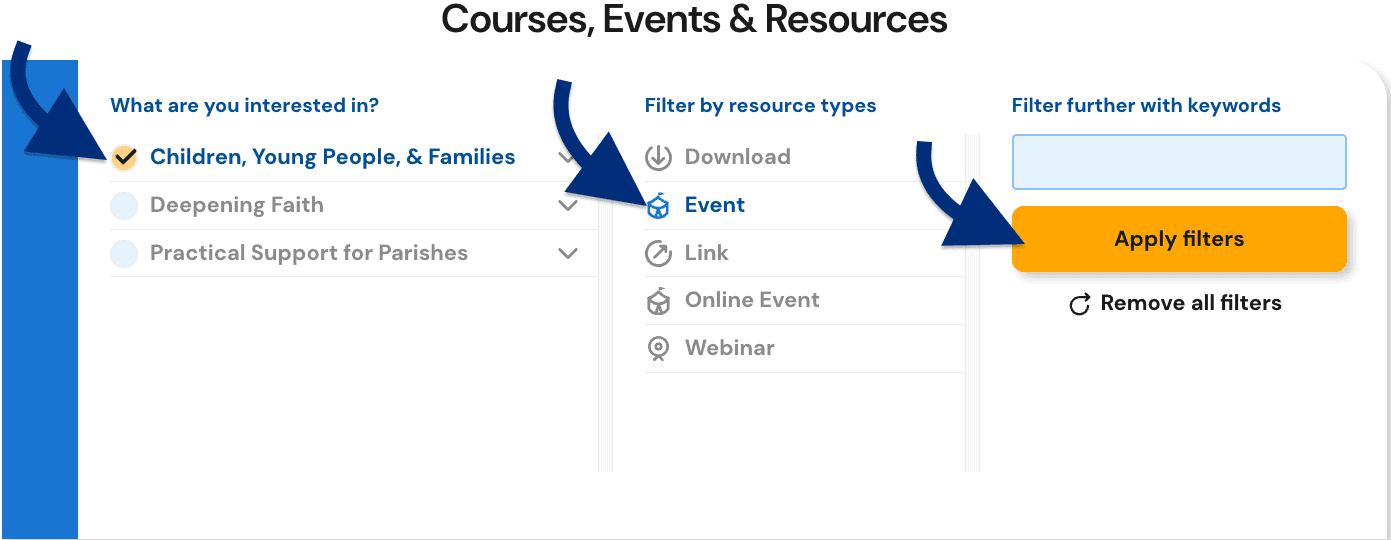
If you know the event is linked to a theme (e.g. Children, Young People, & Families), add that information too, as it will help filter further.
Click on the image, and it will open in a new tab so you can see it easily.
Search by keywords
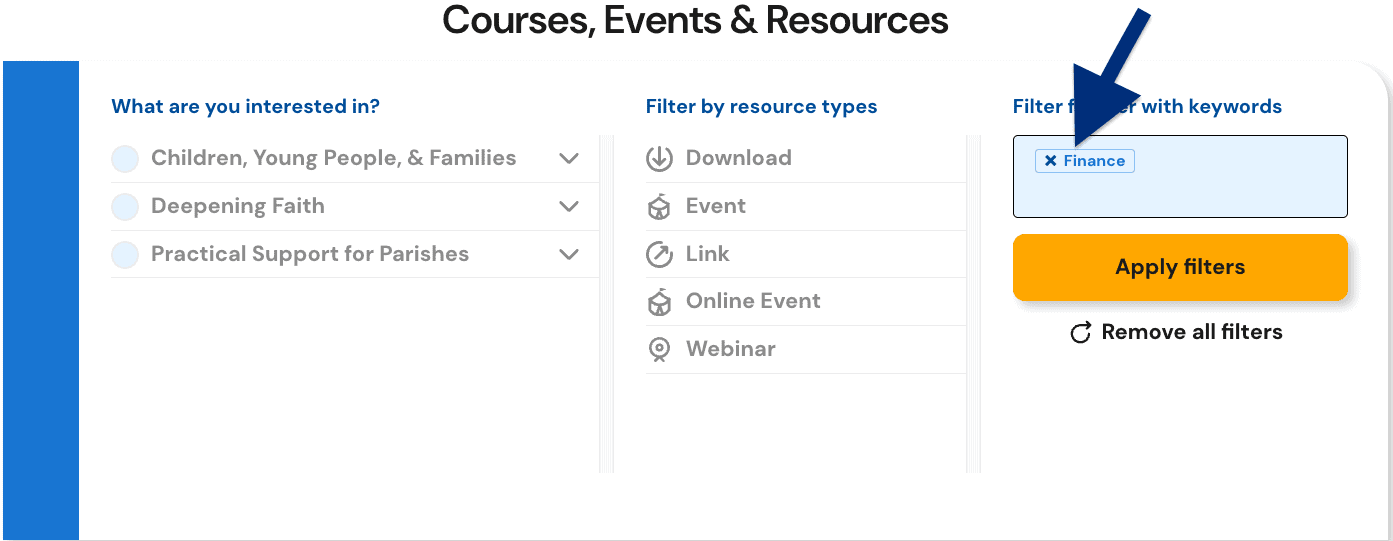
Courses, Events and Resources are all tagged with a keyword. When you have clicked on the drop-down menu you can search through the list and pick the most applicable keywords.
Why you might filter by a keyword:
Your role in the church might require you to stay updated with financial information. Click in the ‘keyword’ box and start typing or scroll through the list to find the word ‘Finance’, then click the yellow ‘Apply filters’ button.
This will show you everything with the keyword ‘Finance’ applied to it (regardless of the theme, topic, or resource type).
Click on the image, and it will open in a new tab so you can see it easily.
Search Bar
There is a search bar at the top of the page, which can be used for general searches.

Filtering or sorting results
It’s best to keep the filtering broad at the start, or you may not get any results that meet your criteria.
For instance, if you filter by the topic ‘Giving and Fundraising’, and the type of resource ‘webinar’, and the keyword ‘Community Engagement,’ you may not get a result.
Filtering and Sorting results:
- ‘Filtering’ helps you to see the types of resources you’re interested in and exclude those you don’t want to see.
- ‘Sorting’ amends the results so you can see them by Newest first, A-Z and Z-A, and Featured.
